Schulz Consulting

Consulting and Upgrades

  • Home
  • Services
  • Technical
    • Sage 100 New Features ( Brief )
  • Sage 100 Support

Sage Releases Updated ACA Enhancement Release Schedule for Sage 100 ERP

April 17, 2015 by Wayne Schulz

Sage_ACA_Enhancement

Sage have recently updated the expected release dates for enhancements which will bring their Sage 100 ERP software into compatibility with the new ACA (Affordable Care Act) requirements.

As you may know, effective in 2015, employers with 50 or more full time employees (or a combination of part time and full time equivalent (FTE) employees to 50 full time employees) will be subject to the Employer Shared Responsibility provisions.

Employers will be required to track information around employee & dependent coverage by month and the number of full time employees for reporting purposes. This is something we urge you to speak with your financial adviser about right away.

The following versions of Sage 100 ERP payroll will be enhanced to support ACA provisions on the following timetable:

  • 2014 PU5 – Released March 30, 2015 – Search KB 60428 to download & install 2014 PU5
  • 2015 PU1 – Released April 7, 2015 – Search KB 60763 to download & install 2015 PU1
  • 2013 PU9 – June 29, 2015
  • 4.50 PU8 – June 29, 2015

In order for ACA reporting to function within Sage 100 ERP you must select to Retain Perpetual Payroll History within your payroll options. Also please note that only the above noted versions will be supported. Earlier Sage 100 ERP versions will not receive any update to comply with  ACA.

Filed Under: Sage 100 ERP, slider Tagged With: ACA, payroll

Sage 100 ERP Hosting

February 25, 2015 by Wayne Schulz

hosted_cloud


Are you considering hosting your Sage 100 ERP software someplace other than your company servers?

Cloud computing involves deploying (or more commonly renting) groups of remote servers and software networks that allow centralized data storage and online access to computer services or resources.

Clouds can be classified as

  • public  (Amazon EC2, Rackspace Cloud) – cloud infrastructure operated for the benefit of many groups, typically you share servers and computing resources
  • private – cloud infrastructure maintained solely for the benefit of one organization, typically dedicated servers and computing resources
  • hybrid – a combination of public and private – typically using more than one service provider


Some of the benefits of hosting Sage 100 outside of your company include:

  • Backups are  included and performed automatically for you
  • Power and facilities are managed and usually have some level of redundancy
  • Access your data from any web connected computer
  • One price for all licensing, maintenance and management
  • Improved security

What To Look For In  A Sage 100 ERP Cloud Host

Unless you have a very basic need for only the core Sage 100 ERP modules you’ll probably want to consider:

  • Does your host allow you to run not only Sage 100 ERP but also common add-ons (Starship, Scanforce, Crystal Reports, etc) – the most basic hosting providers, including Sage themselves,  may not?
  • Does your host have experience with setup and configuration of Sage 100 ERP – as well as the most common add-ons?
  • Does the monthly price include your Sage 100 ERP licenses and maintenance?
  • Who performs the Sage 100 ERP upgrades? Some hosts  include this while others may request  you use a separate consulting firm to manage the upgrade
  • How many other users will be on the server (if not private)? The less resources on a shared server the slower your accounting software may operate.
  • What is the contract commitment (if any)?
  • What is the guaranteed response time to restore important files – both on a routine  and emergency basis
  • Is Microsoft Office included in the hosting price? If not how much extra is the productivity tool per month?
  • How long as the provided been hosting Sage ERP products?
  • What other products are being hosted on the same server(s)?

Prior to moving your Sage 100 ERP off-site you should also consider the stability of your office internet connection. If you have a connection that is unstable or very slow you may  find  cloud hosting won’t work for you. Since most companies have fairly reliable (and fast) internet connections  there is seldom a concern about connectivity except for in the most remote of areas.

How Much Will Sage 100 ERP Hosting Cost ?

Prices for hosting vary. On the very low end you could pay as little as $ 25/mo (Amazon) for a “bring your own Sage 100 ERP ” setup which includes a desktop with remote access but you install and configure Sage 100 ERP yourself. Pricing for the Sage’s own hosting starts at $159 though Sage hosting does not allow for any customization of your ERP and few (if any) third party integrations. What Sage’s hosting does allow for is an inexpensive bundle of the Sage 100 ERP licenses along with hosting. For this reason the Sage option is usually best for smaller companies who don’t need customization and have 3 or fewer users.

Moving outside the “do-it-yourself” host (Amazon) and Sage’s basic hosting – expect to pay $ 150 – $200 per month for each user depending upon how the software licenses are initially acquired.

Limited Time Offer:

2 MONTHS FREE ENTERPRISE HOSTING SERVICE
NO OBLIGATION
NO SET-UP COSTS
Includes
· Receive 2 months FREE Cloud Hosting & Setup
· 30-days of platinum level hosting support during business hours
· Provided as a trial and no hosting contract required
Offer Includes:
· All Production Servers and Storage required with 1 recovery and 1 fail-over environment
· All Network Hosting Support
· All Microsoft licensing included
· On-boarding, education, testing and go-live support

Cloud hosting services includes Silver and Gold Hosting Support Plans for 1 and 3 Years.
Please contact DSD Business Systems for pricing details at media@dsdinc.com.


[gravityform id=”6″ title=”true” description=”true”]


Sage 100 ERP Cloud Hosting


Filed Under: Sage 100 ERP, slider Tagged With: cloud, hosted

Sage 100 Payroll Users – 2015 Affordable Care Act (ACA) Important Information

November 14, 2014 by Wayne Schulz

sage__100_perpetual_Affordable_Care_JPG

Sage support has sent an update to all consultants advising them to ensure that “Retain Perpetual Payroll History” is activated within the Sage 100 ERP Payroll module. This option will be used in 2015 in order to meet the 2015 Affordable Care Act. Without enabling perpetual history users may not have the option for ACA reporting from Sage 100 ERP payroll.

To enable perpetual history in Sage 100 ERP navigate to the Payroll – Setup – Payroll Options. On the main tab ensure that “Retain Perpetual Payroll History” is checked.

via Sage.

Filed Under: Sage 100 ERP, slider Tagged With: payroll, sage

InstaDocs for Sage 100 – Free Demo September 12, 2014

September 4, 2014 by Wayne Schulz

InstaDocs_Sage100

Would you like to store documents related to your:

  • Accounts Payable
  • Accounts Receivable
  • Inventory Management
  • Purchase Order
  • Sales Order

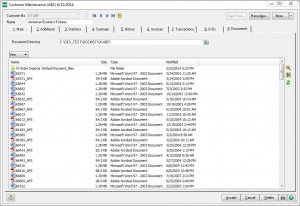
With InstaDocs for Sage 100 ERP you can. You’ll be able to store, view, access, search, and share important documents that relate to specific records in Sage 100 ERP, such as Customers, Vendors, Items, Bill of Materials, Work Orders, Sales Orders, Jobs and Employees.

Join us for a free webinar on Friday September 12, 2014 at 1pm ET to learn more about this exciting new enhancement.

RegisterNow


sage100_instadocs_image


Here’s a Brief InstaDocs Demo Filmed At Sage Summit 2014


Join our free webinar Friday September 12, 2014 – 1pm ET


RegisterNow

Filed Under: Sage 100 ERP, slider Tagged With: instadocs

InstaDocs for Sage 100 ERP – Affordable Document Management

August 4, 2014 by Wayne Schulz

DSD_Instadocs_banner


DSD-Document-Management

DSD Business Systems have just announced a new and affordable document management system for your Sage 100 ERP system. Instead of the traditional document management integrations which required loading both Sage 100 and a third party system – InstaDocs sits inside your Sage 100 ERP system. All of the features and functionality are native to Sage 100 with no third party integration required.

Your native Paperless Office documents – such as checks, orders, invoices and statements can all be stored automatically with their respective customer or vendor master record.  All documents can be natively saved to the cloud via integration directly with Microsoft OneDrive making sharing and viewing them from remote locations even easier.

Every part of your Sage 100 documents can be searched via the Master Search feature. Lookup data based on the file name, keywords or source document. For even faster search you may optionally tag documents with keywords making subsequent search even faster and more convenient.

InstaDocs Is Now Shipping For Sage 100 ERP:

  • Accounts Payable
  • Accounts Receivable
  • Inventory Management
  • Purchase Order
  • Sales Order


For more information and pricing – InstaDocs for Sage 100 ERP 

Sage 100 ERP – Instadocs – Affordable Document Management from Schulz Consulting

Filed Under: Sage 100 ERP, slider Tagged With: instadocs, paperless

  • « Previous Page
  • 1
  • 2
  • 3
  • 4
  • 5
  • …
  • 26
  • Next Page »

Sage 100 Newsletter

Search Our Site

Sage 100 News

  • How to Fix: Sage 100 Desktop Launcher Closes Immediately After Login (No Error)
  • How To Update Sage Intelligence Keys as Sage Moves Away From Unlimited Licenses
  • Get More From Your Sage 100 Partnership
  • Sage Future 2025 Preliminary Agenda Released
  • Upgrading Sage 100 to 64-bit: Avoid These Integration Pitfalls
  • What’s New in Sage 100 2024? ( Video )
  • Sage 100 Users: Conquer Minnesota’s New Sales Tax & Delivery Fee Headache-Free
  • Elevate Your Sage 100 Expertise with SchulzSays: The Ultimate Newsletter for Users and Consultants
  • How To Purge Cleared Bank Reconciliation Transactions in Sage 100
  • 10 Exciting New Features in Sage 100 2024

Contact Us

Schulz Consulting · Connecticut Office · Available remotely nationwide.

Contact Schulz ConsultingPhone: 860-657-8544Email Us

We are a local branch of DSD Business Systems Connecticut.

Copyright © 2026 · Parallax Pro Theme on Genesis Framework · WordPress · Log in

Loading Comments...

You must be logged in to post a comment.