Schulz Consulting

Consulting and Upgrades

  • Home
  • Services
  • Technical
    • Sage 100 New Features ( Brief )
  • Sage 100 Support

How To Update Sage Intelligence Keys as Sage Moves Away From Unlimited Licenses

September 30, 2026 by Wayne Schulz Leave a Comment

As you probably know, Sage Intelligence is no longer billed monthly. They no longer have a monthly unlimited plan.

I had a client that was on this plan, and I had to update their Sage Intelligence keys. Here are some things that I found that I had to do. It was actually pretty simple.

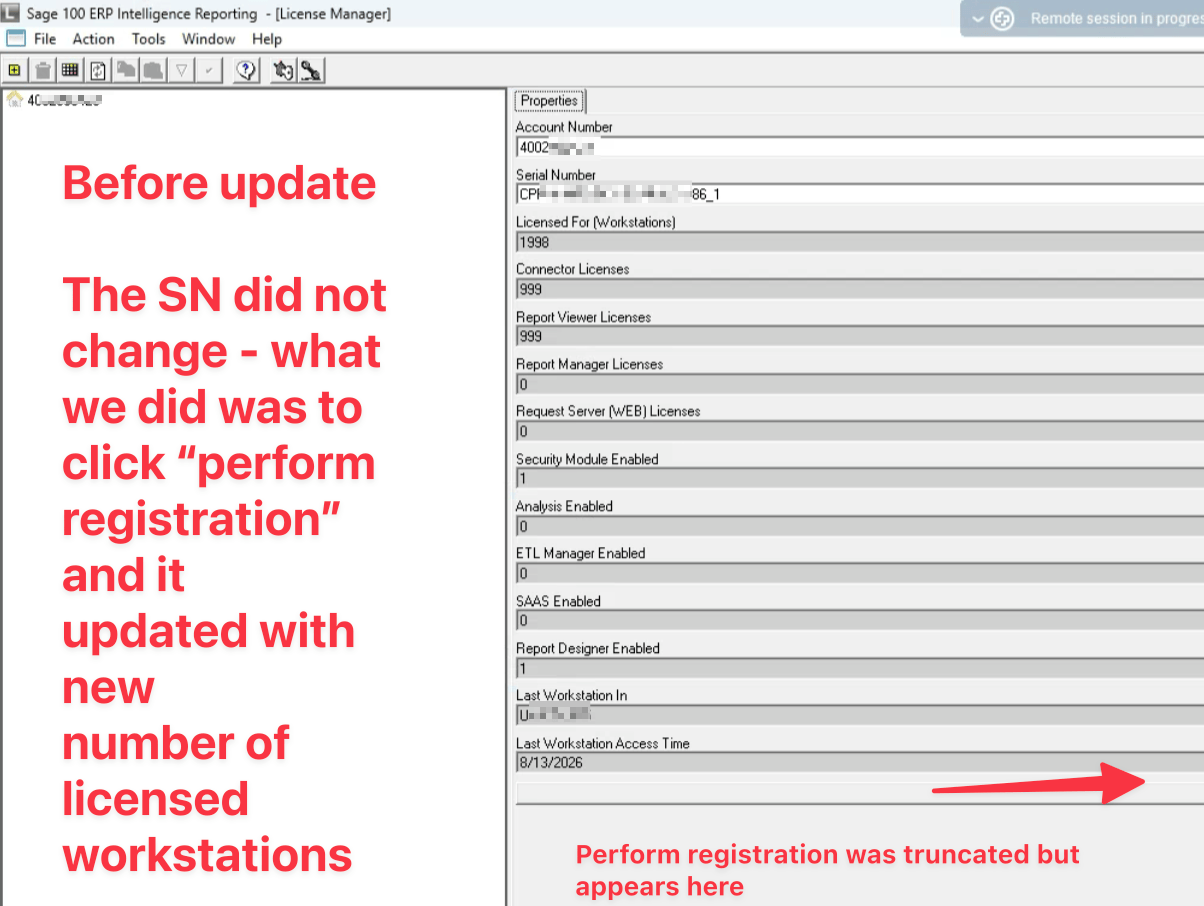
I did not have to change their license key in Sage Intelligence. That key was automatically updated with the number of licenses that they purchased. It all seemed to update properly.

I found that I had to manually go through and remove, by right-clicking on the customer number in the upper left corner of License Manager, any of the old workstations that had been left in and were registered because it was previously an unlimited Sage Intelligence registration. Sage Intelligence now balked at that.
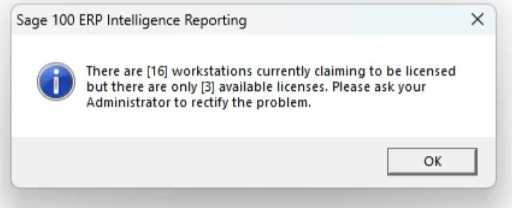
 My client had purchased three Report Manager licenses. What I did was I cleared out and made sure there were only three workstations showing up underneath that customer number in the License Manager as assigned to licenses. If you do not remove excess licenses, you’re going to get the message that shows down below. Plus, when you remove licenses, Sage Intelligence is going to require you to re-run the Perform registration as well.

Because the customer never had to worry about how many workstations were licensed, they never paid attention to how many workstations were assigned a license key. Remember, in Sage Intelligence, the licensing is different, and it’s a named user license.

Once I had all the licenses properly assigned (meaning I had purchased three report managers and only three were assigned), then I ran through and did the registration. That updated Sage with the proper licensing. Other users did not have to do this. I only had to do this on one workstation, and it flowed through to everybody.

I know that for 99.999% of you, you already know this. I’m just memorializing this for the 0.0001% like me, who don’t work with Sage Intelligence all that frequently and might log in and look for this someday in the future.
Share this:

  • Share on X (Opens in new window) X
  • Share on Facebook (Opens in new window) Facebook
  • Email a link to a friend (Opens in new window) Email
  • Share on LinkedIn (Opens in new window) LinkedIn

Filed Under: Sage 100

Secure cloud hosting for Sage 100
Call 1-888-244-6559 (toll-free)

About Wayne Schulz

Wayne Schulz is a Sage 100 Consultant located in Connecticut. He has worked with Sage 100 since 1986 and provides advanced support to companies located throughout the United States. If you are experiencing an issue with Sage 100 and would like to schedule a support session - please request assistance here or call 860-657-8544.

Leave a Reply Cancel reply

You must be logged in to post a comment.

Sage 100 Newsletter

Search Our Site

Sage 100 News

  • How to Fix: Sage 100 Desktop Launcher Closes Immediately After Login (No Error)
  • How To Update Sage Intelligence Keys as Sage Moves Away From Unlimited Licenses
  • Get More From Your Sage 100 Partnership
  • Sage Future 2025 Preliminary Agenda Released
  • Upgrading Sage 100 to 64-bit: Avoid These Integration Pitfalls
  • What’s New in Sage 100 2024? ( Video )
  • Sage 100 Users: Conquer Minnesota’s New Sales Tax & Delivery Fee Headache-Free
  • Elevate Your Sage 100 Expertise with SchulzSays: The Ultimate Newsletter for Users and Consultants
  • How To Purge Cleared Bank Reconciliation Transactions in Sage 100
  • 10 Exciting New Features in Sage 100 2024

Contact Us

Schulz Consulting
Connecticut Office
Click Here To Contact Schulz Consulting
Phone: 860-657-8544
Email Us
Available remotely nationwide.
We are a local branch of DSD Business Systems Connecticut.

Copyright © 2026 · Parallax Pro Theme on Genesis Framework · WordPress · Log in

sage 100 email newsletter

Schulz Says Email Newsletter

Sent Thursday by 1pm

Join our Sage 100 email newsletter.

  • Sent weekly each Thursday 
  • Over 1,500 subscribers
  • No spam - leave anytime
  • Learn about pending updates, fixes, popular integrations
Become a Member

Never see this message again.

Loading Comments...

You must be logged in to post a comment.